Minecraft插件
免费Minecraft插件资源下载 — Spigot、Paper、Folia服务端高级插件合集。包含mcmmo插件、MythicMobs、CMI、EcoJobs、lpx插件等热门服务器插件,支持Minecraft 1.20/1.21版本。
45个文件
-
你是否厌倦了在 Minecraft 世界中穿梭于高大建筑之间?觉得乘船出行太麻烦?不用再犹豫了——SuperHighway插件就是你一直在寻找的解决方案!
主要 功能:
矿车可以使用白色和黑色羊毛运行,为您的运输系统提供更好的控制。
按住钻石键可将档位从 0 调整到 3。否则,操作将限制在档位 1。
放置红色羊毛会触发矿车的紧急制动,为您的行动增添多样性和挑战性。
轻松拴住并运输各种生物!牛、羊、鸡、猫和村民等生物都可以用矿车拴住并运输。
运营:
要拴住生物,玩家需要按住钻石并右键单击生物,使其成为玩家拴住的生物。
如果附近有矿车,玩家需要按住钻石,然后右键点击被拴住的生物。附近的矿车会自动拉动并收集该生物。
现在玩家可以乘坐附近的矿车并靠近该生物,载有所有拴着的生物的矿车将自动跟随玩家。
要释放生物,玩家需要按住Diamond和 Shift + 右键单击以取消选择该生物为被束缚的生物。
使用SuperHighway插件,您可以获得更自由、更愉悦的交通体验!
- 免费
- 0 文件下载
-
- 免费
- 12 文件下载
-
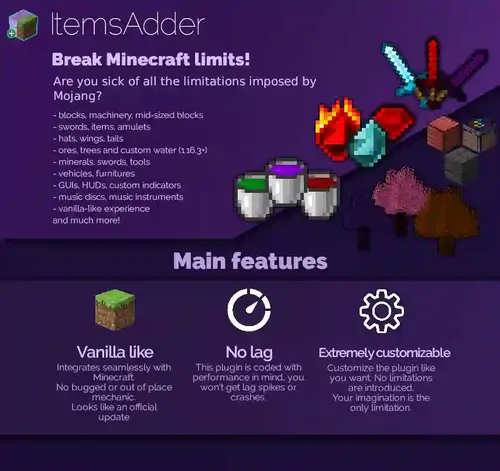
✨ItemsAdder⭐表情、生物、物品、盔甲、HUD、GUI、表情符号、方块、翅膀、帽子、液体是终极 Minecraft 插件,可将您的下一个项目提升到新高度。免费下载,提高您的 Minecraft 服务器游戏质量!
为什么选择我们的 Minecraft 插件?
高质量上传可增强用户体验。 增强的游戏功能带来更多乐趣和刺激。 定期更新和添加新插件以保持新鲜感。- 免费
- 46 文件下载
-
什么是WorldEditGlobalizer?
WorldEditGlobalizer是一个Bunge/Bukkit插件。这会 将 WorldEdit-Clipboard 与安装插件的其他服务器同步。
工作原理:
当您键入“//copy”时,此插件会尝试将您的剪贴板上传到BungeeCord代理并将其存储在那里。 当您输入“/weg upload”时,您当前的剪贴板将被上传到 BungeeCord-Proxy 通过键入“/weg download”,插件会尝试将您存储的剪贴板下载到您当前所在的服务器- 免费
- 0 文件下载
-
重新包装功能
基于 Minecraft.Dungeons.Fauna.Faire-RUNE ISO 版本:rune-minecraft.dungeons.fauna.faire.iso(2,479,652,864 字节)
游戏版本:v1.17.0.0_12688467;包含并激活10个DLC
100% 无损 & MD5 完美:安装后所有文件与原始文件相同
无需破解,无需重新编码
选择性下载功能:您可以跳过下载和安装低分辨率 720p 视频;默认包含 1080p,如果您不安装 720p 包,则会显示 1080p
档案大小略小(从 2.3 GB 压缩到 1.6/1.9 GB)
安装需要 2-3 分钟
安装后进行完整性检查,以确保所有组件均已正确安装
安装后硬盘空间:最大5.4GB
可以在游戏设置中更改语言
Repack 使用 Razor12911 的 XTool 库
安装此重新包装需要至少 2 GB 的可用 RAM(包括虚拟 RAM)
游戏描述
Minecraft Dungeons。一款全新的动作冒险游戏,灵感源自经典地下城探索游戏,并以 Minecraft 宇宙为背景!
独自闯荡地下城,或与好友组队!最多四名玩家可以在线或本地合作模式并肩作战。
使用近战攻击,或远程攻击,或是在重装护甲的掩护下一路挺进!个性化你的角色,解锁独特物品和武器附魔,使出毁灭性的特殊攻击。
探索充满动作和宝藏的关卡——所有这些都是为了拯救村民并打倒邪恶的 Arch-Illager!
包含的 DLC:
动物博览会探险通票
夜光之夜探险通行证
云雾攀登探险通行证
英雄DLC
虚空回响
隐藏的深度
虚空之焰
嚎风山峰
蔓延的冬天
丛林觉醒
- 免费
- 5 文件下载