























论坛






文件
-
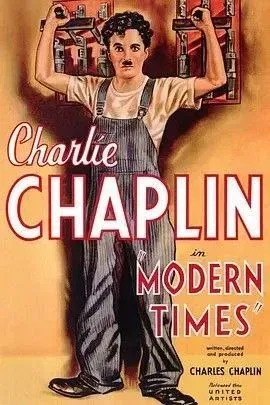
摩登时代 (1936)
免费
二十年代的美国处于经济萧条时期,失业率居高不下,工人受尽压榨,成为了大机器生产中的一颗螺丝钉。查理(查理·卓别林 Charles Chaplin 饰)就是一个底层市民,他在一个机器隆隆的厂房里日以继夜地工作,以赚取微薄的收入。重复繁重的工作压得他喘不过气,他把人们的鼻子当成螺丝钉来拧,卷入流水线机器的皮带里,令人苦笑不得。查理尽管贫穷,但却很善良。他在路上搭救了流浪女,和她一起生活,家里破烂却又温馨。每次身无分文的查理为了找到吃的,都会故意犯事,以便进入监牢。光景一时间有了好转,流浪女成了歌舞红星,然而好景太短暂了。- 0 文件下载
- 0 意见
-
世界之战 (2005) 杜比视界 国英多音轨
免费
雷·费瑞尔(汤姆·克鲁斯饰)和妻子离婚了,一儿一女都跟母亲生活——因为他的的贪玩懒散,疏忽责任,这个家庭才如此支离破碎。一场外星人入侵的灾难却让他们重新建立起亲密的的关系。这天妻子繁忙,只好把儿女交给雷照顾。电闪雷鸣天色灰暗,一切好像有些异样。果然,马路上赫然一个庞大的三脚飞行器掘地而起,邪恶的火星人关顾了这个本来平静的小镇。人们四处逃亡,雷也带着女儿奔走逃命,开始了生死历险。当局想尽办法对付外星人,却屡屡失败,整个世界都陷入了恐慌当中。有了父爱的本能,平日吊儿郎当的父亲变得英勇顽强,保护儿女成了他支撑他的动力和信念。- 0 文件下载
- 0 意见
-
受到猩猩之神庇护的大小姐在皇家骑士团受到宠爱 (2025) 日
免费
故事发生在16岁便可获得动物神明祝福的世界。怯懦的贵族千金索菲亚因“猩猩神”的加护,获得了能轻松举起超500公斤重物的能力。尽管她只渴望平凡生活,却因这份压倒性力量被各方觊觎,最终被王国骑士团强制招募,自此卷入战斗任务与纷争漩涡的非日常成长物语。- 0 文件下载
- 0 意见
-
汪汪队立大功大电影3:勇闯恐龙岛 (2026)
免费
一场突如其来的超强风暴,将莱德队长与汪汪队意外带到神秘恐龙岛,还邂逅了被困荒岛的新朋友小狗乐乐。与此同时,宿敌海丁那市长大肆采矿,不慎唤醒沉睡火山!岩浆喷涌、岛屿崩塌,恐龙岛陷入巨大危机。面对这场规模空前的惊险灾难,勇敢的汪汪队绝不退缩!狗狗们携手恐龙并肩作战,能否冲破险境、化解危机,守护恐龙岛?- 0 文件下载
- 0 意见
-
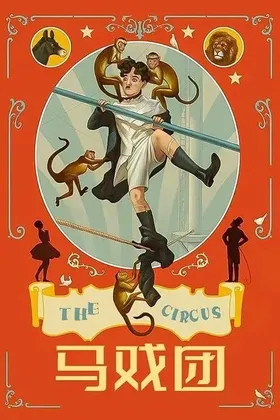
马戏团 (1928)
免费
在默片时代的收官之作中,查理·卓别林沉醉于马戏艺术,向启发其精湛滑稽表演的杂技艺人和默剧演员致敬。片中,卓别林饰演的流浪汉被误认为扒手,逃入一个巡回马戏团的表演场,很快成为剧团明星,并爱上了剧团的无鞍骑手。尽管拍摄过程众所周知的坎坷,这部笑料密集的喜剧仍位列卓别林最佳作品之一,归功于其职业生涯中一些最大胆的场面设计——包括与狮子的惊险接触,以及满载猴子走钢丝的高潮段落。本片于1969年经卓别林重新配乐后再次上映,这场喧闹的高空钢丝表演,展现了默片时代最受欢迎的喜剧大师在其幽默力量的巅峰状态。- 0 文件下载
- 0 意见