






Jump to content
  • Language

Neeon – WordPress News Magazine Theme 3.1.0

(0 reviews)

1 Screenshot

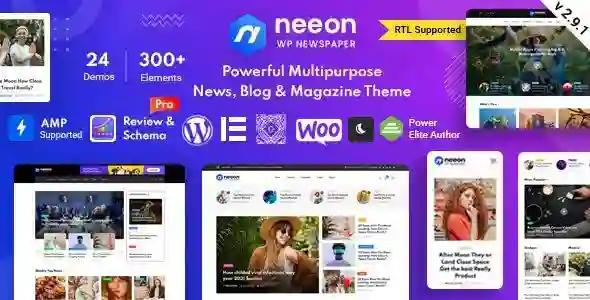
Neeon 无疑是少数几个最好的 WordPress 新闻杂志主题之一。 它拥有灵活而现代的布局,使其轻松适应任何网站创意。 您可以轻松地将其用于新闻和杂志网站以及用于博客目的。 Neeon 具有任何优秀新闻杂志网站必须具备的所有功能。 其现代和干净的布局和多功能性巩固了它在少数几个最好的地方的地位。

Neeon 主题 WordPress 功能

  • 基于 Bootstrap V 5.x 构建

  • 基于Elementor页面构建器构建

  • 16个不同的主页

  • 5 个不同的分类页面

  • 3 个不同的帖子详情页面

  • 10 种标题样式 30 种标题变体

  • 5 种页脚变体

  • 19 个自定义 Elementor 插件,包含 60 种布局

  • 黑暗模式

  • AMP 支持(详细信息页面)

  • 详情页上的无限滚动

  • 按类别选择颜色

  • 自定义宽度

  • 阅读进度条

  • 粘性侧边栏

  • 完全响应

  • W3C 验证的 HTML5 和 CSS3 编码

  • 简洁现代的设计

  • 兼容所有现代浏览器 [IE 11、Firefox、Chrome、Opera 和 Safari]

  • Font Awesome(350 个图标)。

  • Google Web 字体。

  • 有据可查。

  • 易于定制且灵活的元素。

  • SEO优化

  • 广泛而快速的支持。

  • 终身免费更新。

  • RTL 支持。

What's New in Version 3.1.0

Released

No changelog available for this version.

User Feedback

There are no reviews to display.


© Copyright 2021-2025 okscc.com All rights reserved. 豫ICP备2024089627号 Icon 豫公网安备41030402000232
Disclaimer: This website does not store any video content or materials; it only provides links to files. The purpose is to convey more information and does not imply endorsement of their views or responsibility for their accuracy.

Important Information

Terms of Use Privacy Policy Guidelines We have placed cookies on your device to help make this website better. You can adjust your cookie settings, otherwise we'll assume you're okay to continue.

Configure browser push notifications

Chrome (Android)
  1. Tap the lock icon next to the address bar.
  2. Tap Permissions → Notifications.
  3. Adjust your preference.
Chrome (Desktop)
  1. Click the padlock icon in the address bar.
  2. Select Site settings.
  3. Find Notifications and adjust your preference.