






Skip to content

phpShort - URL Shortener Platform v45

(0 reviews)

1 Screenshot

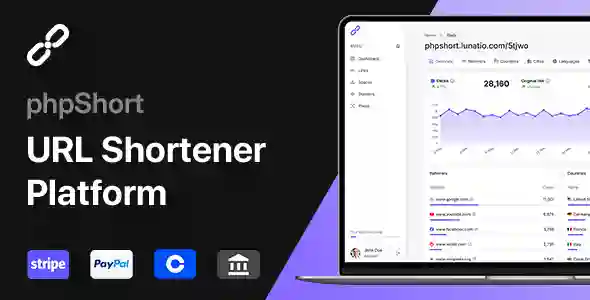
phpShort是一个高级 URL 缩短平台,可让您轻松缩短链接,根据受众的位置或平台定位受众,并为缩短的链接提供分析见解。

用户功能

仪表板- 一目了然地查看帐户概览。快速管理您最新或最受欢迎的链接。
链接- 缩短链接,一次一个,或批量缩短。添加自定义别名、用密码保护链接、设置到期日期、自定义定位规则等。
空间- 将您的链接组织到空间中以便于管理。为您的空间设置颜色代码以便一目了然地识别它们。
域名- 使用您自己的域名为您的链接打上品牌,并将您的点击率提高多达 35%。
像素- 在您的链接中实施重定向像素,重新定位您的受众并提高您的转化率。
统计- 获取有关您的链接的分析见解,包括受众概览、引荐来源、国家、城市、语言、平台、浏览器和设备。
导出- 以 CSV 格式导出您的链接或链接统计信息。
分享- 通过电子邮件、二维码或最流行的社交网络分享您创建的链接:Twitter、Facebook、Reddit、Pinterest、LinkedIn。
结账– 通过 PayPal、Stripe、Razorpay、Paystack、Coinbase、Crypto.com和银行转账结账。

What's New in Version v45

Released

No changelog available for this version.

User Feedback

There are no reviews to display.


© Copyright 2021-2025 okscc.com All rights reserved. 豫ICP备2024089627号 Icon 豫公网安备41030402000232
Disclaimer: This website does not store any video content or materials; it only provides links to files. The purpose is to convey more information and does not imply endorsement of their views or responsibility for their accuracy.

Important Information

Terms of Use Privacy Policy Guidelines We have placed cookies on your device to help make this website better. You can adjust your cookie settings, otherwise we'll assume you're okay to continue.

Account

Navigation

Search

Search

Configure browser push notifications

Chrome (Android)
  1. Tap the lock icon next to the address bar.
  2. Tap Permissions → Notifications.
  3. Adjust your preference.
Chrome (Desktop)
  1. Click the padlock icon in the address bar.
  2. Select Site settings.
  3. Find Notifications and adjust your preference.