






Skip to content

Ohio - Creative Portfolio & Agency WordPress Theme By Colabrio v3.5.7

(0 reviews)

1 Screenshot

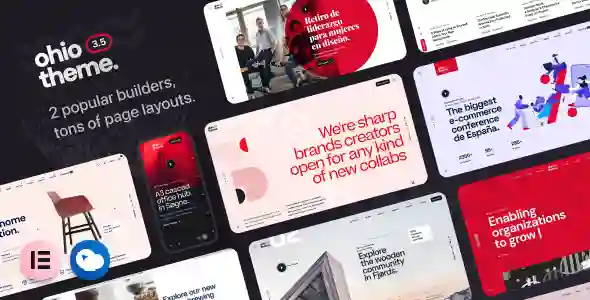
Ohio 是一款精心打造的多功能、极简主义、精美绝伦、功能多样的作品集和创意展示主题,拥有清晰的用户体验,助您打造现代化、功能齐全的网站,并开始销售您的产品和服务。它配备了最受欢迎的WordPress页面构建器。 WPBakery Page Builder(原名 Visual Composer)插件和 ACF Pro 用于主题设置。快速创建美观、现代且快速的 WooCommerce、商店、作品集和博客网站,无需任何代码。Ohio

拥有专业、像素完美且简洁的现代布局,几乎可以满足任何网站需求:

  • 美食、冒险博客 WordPress 主题;

  • 数字、创意、企业代理 WordPress 主题;

  • 简洁、简约、出色的创意作品集,包含适合插画家、摄影师、自由职业者、设计师、建筑师的画廊;

  • 为博主、博客作者、编辑、记者、杂志新闻、报纸、作家、写作提供的个人、砌体和极简博客;

  • 现代化全响应式 Retina Ready WooCommerce 商店,销售服装、电子产品、家具、配饰、手表;

  • 视差和视网膜就绪企业商务主题;

  • 超棒的单页网站和登陆页面,用于启动您的初创公司、软件服务或应用程序;

  • 现代健身俱乐部和体育健身中心,提供瑜伽、游泳、网球、普拉提、足球、拳击、TRX、CrossFit;

What's New in Version v3.5.7

Released

No changelog available for this version.

User Feedback

There are no reviews to display.


© Copyright 2021-2025 okscc.com All rights reserved. 豫ICP备2024089627号 Icon 豫公网安备41030402000232
Disclaimer: This website does not store any video content or materials; it only provides links to files. The purpose is to convey more information and does not imply endorsement of their views or responsibility for their accuracy.

Account

Navigation

Search

Search

Configure browser push notifications

Chrome (Android)
  1. Tap the lock icon next to the address bar.
  2. Tap Permissions → Notifications.
  3. Adjust your preference.
Chrome (Desktop)
  1. Click the padlock icon in the address bar.
  2. Select Site settings.
  3. Find Notifications and adjust your preference.