






Skip to content

[XTR] Fantastic Pro-XF 2.2.15

(0 reviews)

1 Screenshot

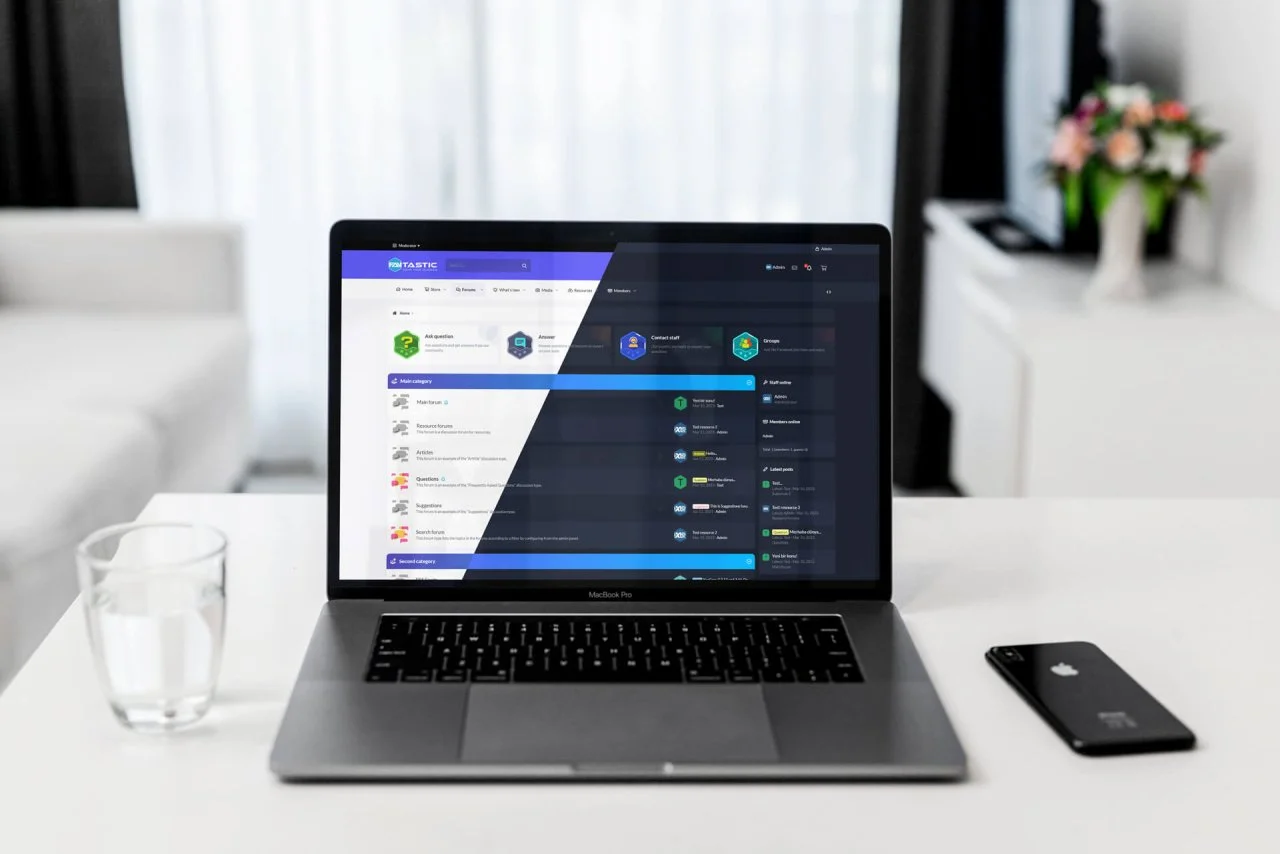
以优雅的设计吸引会员,非常详细地展示您的社区和目的地,让会员享受时光。
Fantastic Pro 是一款专业主题,是 XenForo 用户的绝佳选择。该主题包括深色和浅色功能,并具有极其实用和用户友好的设计。
Fantastic Pro 为来宾用户提供快速触摸区域和欢迎消息等功能。这些功能可以帮助用户轻松适应网站并快速适应它。此外,它还通过自定义论坛统计结构和节点区域中的操作按钮等功能为用户提供更多功能体验。
主题具有动态结构,可以轻松控制所有区域的风格特征。这允许用户根据他们的需要和偏好来个性化主题设置。此外,该主题在所有现代浏览器上都提供了出色的显示效果,并且可以在移动设备上无缝运行。
Fantastic Pro 在所有类型的论坛上看起来都很棒,并为用户提供出色的体验。该主题以其人性化的设计、快速触摸区域、自定义论坛统计结构和节点区域的操作按钮,旨在满足用户的需求。
总之,XenForo 的 Fantastic Pro 主题为用户提供了专业、可定制和功能强大的论坛体验。深色和浅色吸引眼球的特点,以及快速触摸区域、自定义论坛统计结构、节点区域的操作按钮等功能,可以满足众多用户的需求。它易于安装,并在所有类型的论坛上提供出色的展示。

What's New in Version 2.2.15

Released

No changelog available for this version.

User Feedback

There are no reviews to display.


© Copyright 2021-2025 okscc.com All rights reserved. 豫ICP备2024089627号 Icon 豫公网安备41030402000232
Disclaimer: This website does not store any video content or materials; it only provides links to files. The purpose is to convey more information and does not imply endorsement of their views or responsibility for their accuracy.

Important Information

Terms of Use Privacy Policy Guidelines We have placed cookies on your device to help make this website better. You can adjust your cookie settings, otherwise we'll assume you're okay to continue.

Account

Navigation

Search

Search

Configure browser push notifications

Chrome (Android)
  1. Tap the lock icon next to the address bar.
  2. Tap Permissions → Notifications.
  3. Adjust your preference.
Chrome (Desktop)
  1. Click the padlock icon in the address bar.
  2. Select Site settings.
  3. Find Notifications and adjust your preference.