






Skip to content

BeDrive – 文件共享和云存储 3.1.3

(0 reviews)

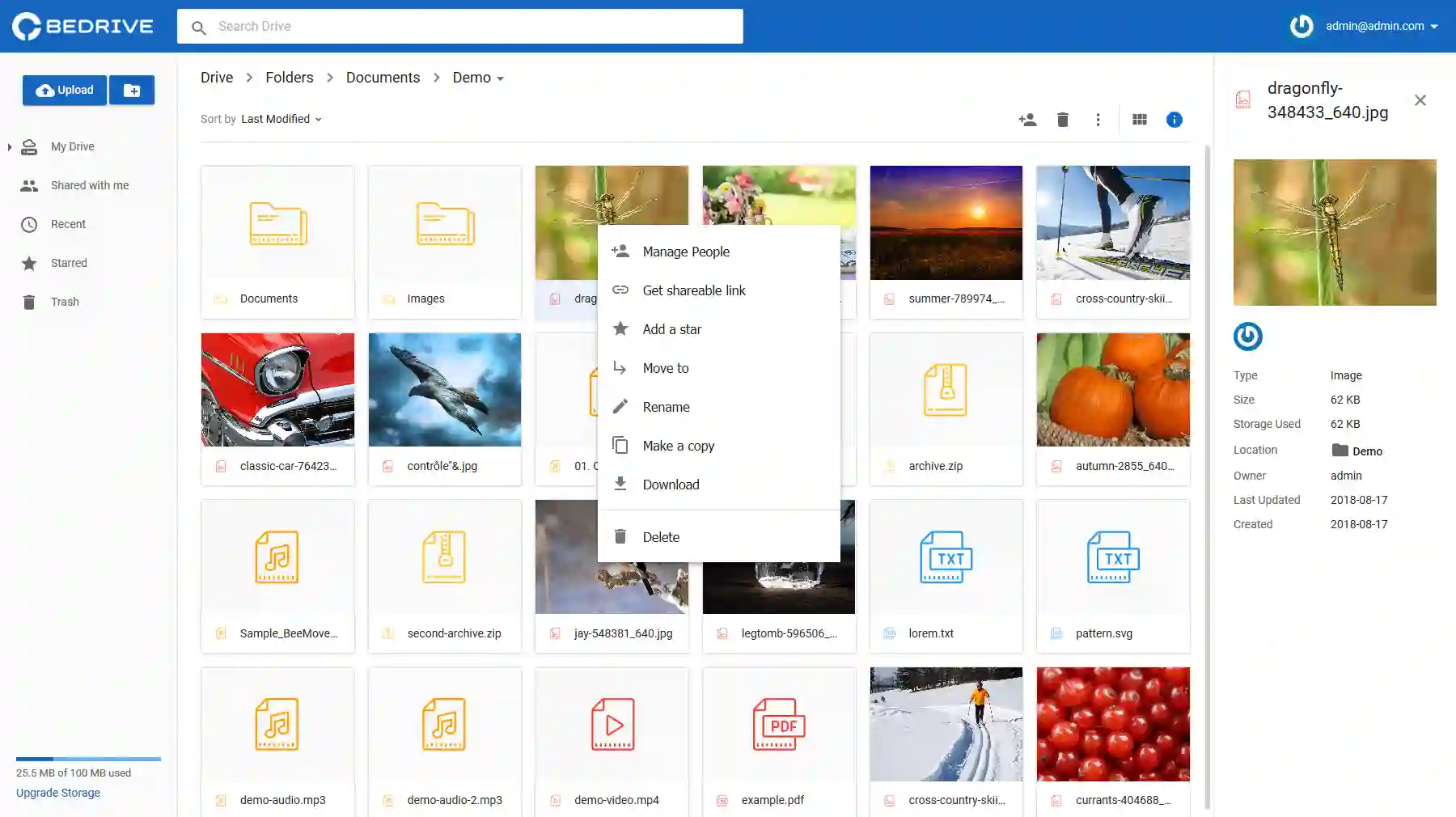
1 Screenshot

BeDrive允许您在几分钟内创建自己的功能齐全的自托管文件共享和托管网站,而无需任何编码或服务器管理知识。

要求:

  • PHP >= 8.0
  • PDO Extension (enabled by default)
  • php_fileinfo Extension (enabled by default)
  • MySQL Database Server.

What's New in Version 3.1.3

Released

  • 新功能:现在可以从外观编辑器更改默认字体、边框半径和导航栏颜色。

  • 修复:用户密码和登录的一些问题

  • 修复:从条纹测试模式切换到实时模式时出现的问题

  • 修复:自定义登陆页面 SEO 标签有时不显示

  • 修复:从结束日期开始选择时日期范围选择器的问题

  • 修复:移动设备上共享链接的文件名溢出问题

  • 修复:预览页面广告对齐

  • 修复:共享包含大量文件的文件夹的问题

  • 修复:使用的空间格式有时无法正常工作。

  • 修复:将所有通知标记为未读,而不是仅通过标记为未读按钮将可见的通知标记为未读

  • 修复:如果用户未登录且无权查看页面,则重定向到登录页面

  • 修复:flac 音频被错误地检测为视频

User Feedback

There are no reviews to display.


© Copyright 2021-2025 okscc.com All rights reserved. 豫ICP备2024089627号 Icon 豫公网安备41030402000232
Disclaimer: This website does not store any video content or materials; it only provides links to files. The purpose is to convey more information and does not imply endorsement of their views or responsibility for their accuracy.

Account

Navigation

Search

Search

Configure browser push notifications

Chrome (Android)
  1. Tap the lock icon next to the address bar.
  2. Tap Permissions → Notifications.
  3. Adjust your preference.
Chrome (Desktop)
  1. Click the padlock icon in the address bar.
  2. Select Site settings.
  3. Find Notifications and adjust your preference.