




Skip to content

Windows 11 精简版 Nexus 内部版本 (无需 TPM/安全启动) En-US 22621 521 (x64)

(0 reviews)

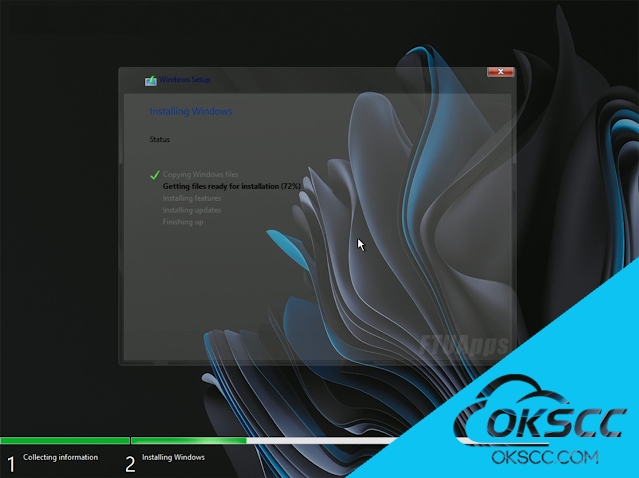
4 Screenshots

预先调整的 Windows 11 图像, 以提高游戏性能/隐私和系统的整体稳定性.此版本基于视窗 11 22621.169 ISO。

包含的版本:
- 防御版
- 非防御版

删除/禁用功能:
- 所有膨胀软件应用程序
- 打印后台处理程序(禁用)
- 操作中心(禁用)
- 休眠(禁用)
- 系统主屏幕(禁用)
- 预提取

- 注意:- 所有(禁用)功能都可以使用工具包

启用 添加的内容:
- 更新到最新版本
- 低资源消耗
- 在游戏中
更好的FPS - 添加自定义PowerPlan
- 非常适合4GB RAM用户(推荐4GB +)
- 治疗:必需,使用任何激活器激活操作系统!

为什么我的防病毒软件将工具包标记为病毒?
- 由于保护源代码所需的混淆,许多防病毒软件和浏览器将程序标记为病毒,即使它不是。

安装方法:
- 不要直接在实时操作系统
上运行安装程序.exe - 下载Rufus或Ventoy并将ISO刻录到USB,然后启动到USB以安装操作系统

User Feedback

Create an account or sign in to leave a review

There are no reviews to display.


© Copyright 2021-2025 okscc.com All rights reserved. 豫ICP备2024089627号 Icon 豫公网安备41030402000232
Disclaimer: This website does not store any video content or materials; it only provides links to files. The purpose is to convey more information and does not imply endorsement of their views or responsibility for their accuracy.

Account

Navigation

Search

Search

Configure browser push notifications

Chrome (Android)
  1. Tap the lock icon next to the address bar.
  2. Tap Permissions → Notifications.
  3. Adjust your preference.
Chrome (Desktop)
  1. Click the padlock icon in the address bar.
  2. Select Site settings.
  3. Find Notifications and adjust your preference.